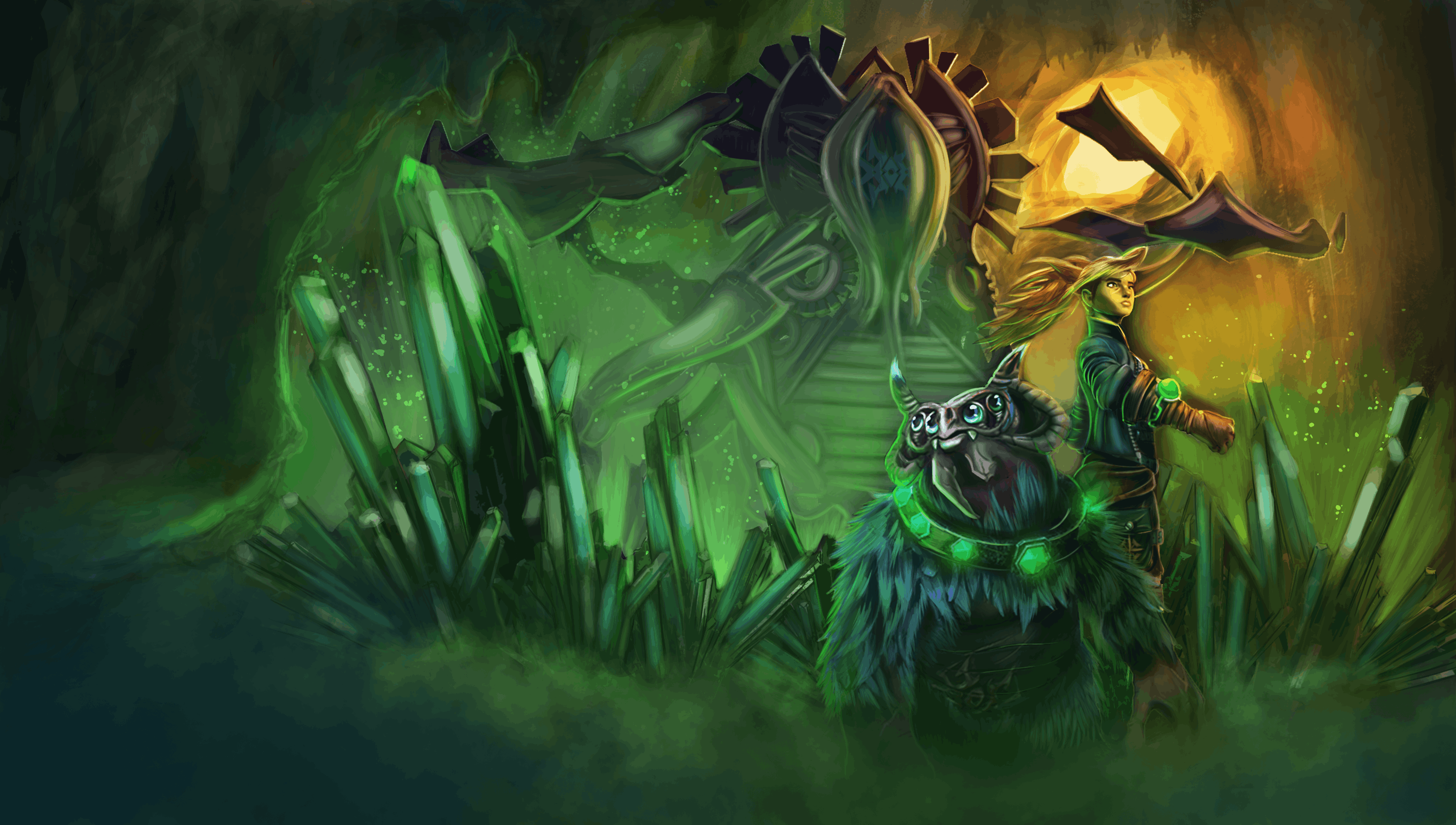
Goodbye Pongo is a 3D side-scrolling puzzle-adventure developed over 26 weeks as the final
second-year project at DBGA with a team of 14 in Unreal Engine 5. Trapped in an ancient foreign
temple, researcher Jane discovers Pongo — a powerful, emotional creature she can only communicate
with through mysterious bongos. Their relationship evolves from captor and prize to allies as the
player learns to read and leverage Pongo's emotional states. The core loop requires players to observe
the environment and Pongo's behavior, collaborate with him to navigate puzzles, and watch out for emotional
trigger objects and temple hazards. Every room introduces new objects that force the player to adapt strategy
around Pongo's reactions.
Trailer
Contributions
I was responsible for two major standalone systems: a fully data-driven, spline-based
camera with a custom Editor plugin, and the complete AI architecture driving
Pongos emotional behavior, companion logic, and player interaction.
Technical Breakdown
Pongo AI System
The AI is built entirely in C++ around a modular Behavior Tree architecture. A central
"Brain" tree delegates to specialized sub-trees per state, all coordinated through a
custom event bus implemented as a Game World Subsystem — keeping every system reactive
without directly depending on the others.
Pongo System — Gameplay Overview
System Architecture
AI Controller
Owns and runs the Behavior Tree
Manages all Blackboard keys
Applies Bonding state changes
Routes AI events via priority queue
Saves and loads Pongo's stats across sessions
Pongo Character
Drives movement speed per emotional state
Gradually lerps fur color via dynamic materials
Executes scripted jumps via Smart Nav Links
Handles all object interaction types
Hosts the Pet Bar component
AI Event Bus
Subsystem-based decoupled messaging
Any system can broadcast events without direct references
Controller applies them by priority
Events received mid-air are held in a queue
Flushed automatically after landing
Emotional State Machine
Pongo has four emotional states — Fear, Curiosity,
Rage, and Trust — each triggered by specific objects
placed in the level and governed by a strict priority hierarchy (Rage > Fear > Curiosity > Trust).
States are unlocked progressively through story events, giving designers full control
over which behaviors are active at any point in the game.
Each trigger object in the level carries a sphere component that detects when Pongo
enters its range. Before sending the emotional state event, a line trace from the object
to Pongo's head checks for visual occlusion: if geometry is blocking the view, a
polling timer fires every half second until line-of-sight is clear. This prevents
emotional reactions from triggering through walls.
FEAR
Priority 1
Pongo flees outside a safe escape distance using EQS. Continuously recalculates his path if the source moves.
CURIOSITY
Priority 2
Pongo navigates toward the object and plays a flavour interaction. Switches focus if a new curiosity object enters range.
Bonding System
Pongo's behavior evolves throughout the game through a Bonding value that drifts up
and down depending on what the player does. The value is always clamped within a range
tied to the currently unlocked emotional state. When a new state unlocks, the active
range shifts — if the current bonding value already falls inside the new range it stays
where it is, otherwise it's raised to the new minimum to avoid regression.
Within each emotional range, designers define breakpoints. Every time the bonding value
crosses one of these thresholds — upward or downward — a corresponding set of behavioral
parameters is applied atomically to the Blackboard. These parameters cover things like
how close Pongo stays to Jane when following her, how long he keeps following before
stopping, how wide he roams during idle strolling, and how much time he waits before
wandering off on his own.
Color feedback: Pongo's fur color gradually lerps based on state through a dynamic material instance. Emotion colors always take priority over bonding colors and restore on exit.
Bonding sources: Puzzle completion, petting, and entering fear zones all contribute to the bonding value through a dedicated Behavior Tree task.
Persistence: The bonding value is saved and reloaded across sessions via the Game Instance.
Companion Behavior & Bongo Commands
When not in an emotional state, Pongo listens to four bongo commands progressively
unlocked through story progression: Come Here / Stop,
Interact, and Go There. Each command maps to a
boolean flag on the Blackboard that the Brain Behavior Tree checks via its main
selector. Emotional states always override player commands — the tree evaluates
them at higher priority branches.
The Come Here command is handled by a Behavior Tree Service that
ticks at a high frequency, continuously projecting the player's world position onto
the navigation mesh and updating Pongo's movement destination. A follow-duration
timer starts once Pongo gets within a configurable minimum distance of the player —
when the timer expires, movement stops and the command flag clears automatically.
Stroll of Fear — active before curiosity unlocks — is managed by
a second BT Service that monitors how far Jane is from Pongo at all times. If Jane
stays beyond a maximum range for a configurable delay while Pongo is idle, the service
performs a physics overlap to check whether any Safe Point actor is nearby. If one
is found, Pongo starts walking toward it. The timer resets cleanly on every relevant
state change — Pongo moving, Jane returning to range, or no safe point being available.
Pet Bar System
The petting mechanic is managed by a standalone Actor Component attached to Pongo.
When Jane pets him, the component clamps the bar, evaluates whether the current
level falls in the Reassured, Unconcerned, or Annoyed range, and immediately
broadcasts two events: one for the new pet status and one for the corresponding
movement speed multiplier. Two independent timers are (re)started — one for gradual
bar decay over time, one for resetting the speed boost when it expires.
Reassured: Speed boost and bonding increase. Re-petting during an active boost restarts the timer rather than stacking the effect.
Unconcerned: Smaller speed boost and slight bonding gain.
Annoyed: Pongo flees via EQS to a point away from Jane, using a donut-shaped query that weighs distance from the player. Commands are ignored during the escape. Bonding decreases.
Scripted Jumps via Smart Nav Links
Pongo can only jump in areas explicitly scripted by the level designer through Smart
Navigation Links. When the pathfinder routes Pongo through one of these links, the
link notifies the character and triggers the jump logic.
The jump arc is calculated using Unreal's projectile velocity suggestion with a
designer-tunable arc factor (ranging from flatter/faster to higher/slower). A vertical
offset is added to the destination to produce a believable parabola. Pongo's movement
mode is forced to falling before launch. If an AI event arrives while Pongo is airborne
— a bongo command, an emotional trigger — it's held in a queue on the controller and
applied on the very next frame after landing.
Environment Query System
Pongo's movement decisions across behavioral states are driven by several EQS queries,
each using custom context objects that read actor references directly from the Blackboard
to keep the queries decoupled from hardcoded scene references.
Stroll Point
Generates candidates in a circle around Pongo. Scores them by alignment with
the player's forward direction and path length — keeping Pongo from wandering
too far or in obviously wrong directions during normal idle strolling.
Escape Point
Generates candidates in a circle centered on the fear source. A custom C++
EQS test scores each point by how far it sits from every emotional trigger
sphere in the level — points inside any sphere score zero, fully clear points
score maximum. Unreachable points are discarded and the shortest valid path wins.
Activated when Pongo enters the Fear state.
Annoyance Point
Uses a donut-shaped generator with inner and outer radius read from the
Blackboard. Scores candidates by navigation cost (lower is better) and
distance from the player (greater is better) — finds reachable spots
away from Jane without wandering too far. Activated when Pongo is over-petted.
Safe Point
Rather than running a full EQS query, the Stroll of Fear BT Service checks
for Safe Point actors directly in C++ using a physics sphere overlap. This
avoids the query overhead and lets the service enable or disable the Blackboard
flag synchronously in the same tick. Only if a valid, reachable safe point
exists does Pongo start walking toward it.
The custom C++ EQS test used in the escape query iterates every emotional trigger
object in the scene and measures how far each candidate point sits from the nearest
sphere boundary, normalized against a configurable max clearance value. This ensures
Pongo's escape destinations are always clear of stacked trigger volumes — preventing
him from fleeing directly into another fear source.
Camera System
The camera system is a self-contained C++ module paired with a custom Editor plugin.
Runtime logic, per-point data storage, and the editor interface live in three separate
layers — each independently maintainable and invisible to the other two.
Camera System — Gameplay Overview
System Architecture
Camera Spline Actor
Placed in the level, one per room
Owns the spline and its metadata
Interpolates camera data by spline distance
Listens to room enter/exit events
Camera Actor
Handles runtime camera movement
Projects the player onto the spline geometry
Drives bias and location interpolation
Activates and deactivates per room
Spline Metadata
Stores camera data per spline point
Implements the full UE spline metadata interface
Handles point add, insert, remove, duplicate, fixup
All curves stay in sync at all times
Editor Plugin
Custom Details panel in the spline editor
Per-point field editing with live preview
Actor picker for bias targets
Full undo/redo support
Per-Point Spline Metadata & Editor Plugin
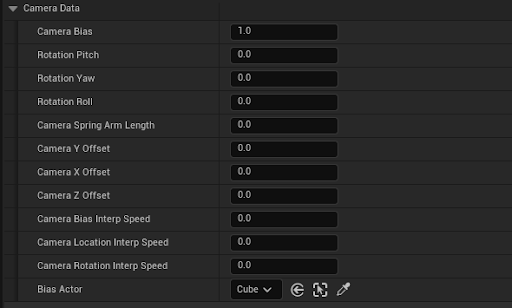
Custom Details Panel — per-point camera data in UE5 editor
Each point on the spline stores a full set of camera parameters: rotation (pitch, yaw,
roll), spring arm length, lateral and vertical offsets, and three independent interpolation
speeds for bias, location, and rotation. A separate slot also stores a reference to an
actor the camera should bias its framing toward at that specific spline position.
All parameter curves are kept in sync at all times. Adding, inserting, removing,
duplicating, or copying a spline point updates every curve atomically and re-indexes
all keys in one pass. A recovery method also handles desyncs caused by editor crashes,
copy-paste operations, or mid-edit undo chains — padding any missing entries with the
last known value and trimming any excess.
Adding a point: Inherits values from the previous endpoint as sensible defaults, avoiding sudden visual jumps when extending the spline.
Inserting a point: Inherits values from the point at the insertion index, then re-indexes everything downstream.
Duplicating a point: Produces a full copy of all parameters and the bias actor reference at the target index.
A dedicated Editor module injects a custom panel directly into Unreal's spline editing
interface. When a designer selects a spline point, the panel shows editable fields for
every camera parameter alongside the standard point transform controls — rotation, spring
arm length, offsets, interpolation speeds, and bias actor.
Multi-select support: When multiple points with different values are selected, the panel shows "Multiple" in the relevant fields rather than a misleading single value — matching Unreal's standard multi-edit behavior.
Undo/redo: Every parameter change is wrapped in a scoped transaction, making all edits fully undoable via Ctrl+Z without any extra setup by the designer.
Actor picker: The bias actor field uses a filtered object picker that restricts selection to valid scene actors and applies the change immediately to the metadata.
Live preview: After any change, the viewport refreshes in real time so designers see the updated camera framing without leaving the spline editing mode.
Spline Projection & Position Solving
The camera doesn't simply snap to the nearest spline point. Both the player and
the bias target are mapped onto the spline's curved geometry through a
two-step projection-and-correction algorithm — necessary because spline arc-length
doesn't correspond linearly to the spline's input key values.
First, each position is projected onto the straight corridor axis of the room using
a dot product, producing a normalized progress value. That value is multiplied by
the total spline length to get an initial arc-length estimate. Then the actual
spline position at that distance is compared to the projected corridor point, and
the estimate is corrected once by the signed error along the corridor direction.
A single correction pass converges accurately for the vast majority of corridor geometries.
Offset handling: Lateral and vertical offsets are applied in the spline's local rotation space rather than world space, keeping the framing visually consistent regardless of how the spline is oriented in the level.
Distance guard: If the camera drifts too far from the player in 2D, only the lateral component is clamped — depth and height are preserved from the spline — so the camera never slides sideways while staying on the intended path.
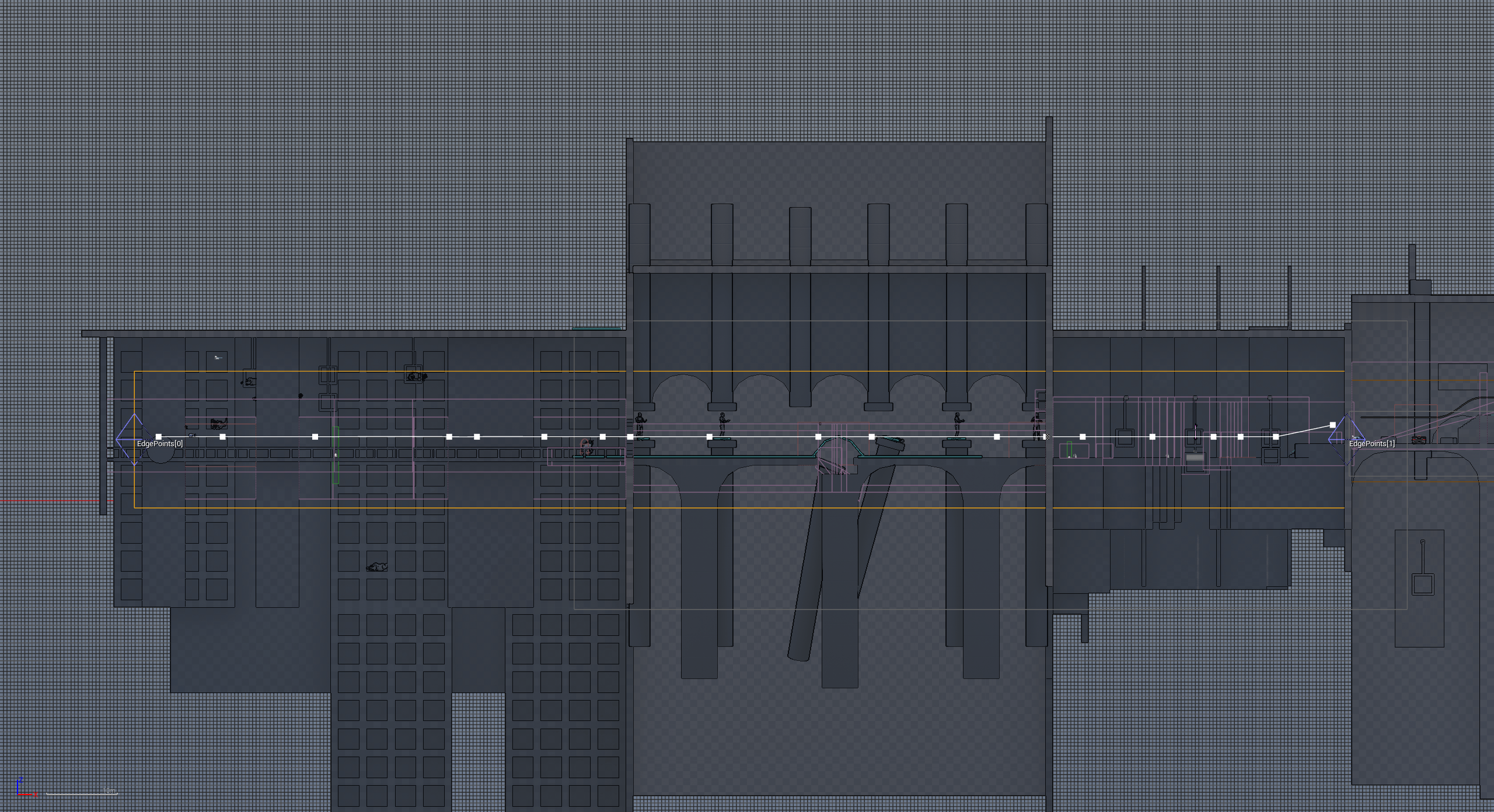
Projection solver — debug visualization in editor
Camera Bias System
The camera doesn't always frame the player at center. A per-point bias value
shifts the framing toward a reference actor — for example, biasing the frame
toward Pongo when both characters need to be visible at once. Each frame, the
active bias is smoothly interpolated toward the spline-driven target value,
producing gradual, cinematic transitions as the player moves along the room.
When no reference actor is assigned at the current spline position, the bias
fades back to zero gracefully. A secondary low-pass filter is also applied to
the reference actor's own position, absorbing sudden teleports or fast movements
of the bias target so the camera never snaps unexpectedly.
Camera Bias — weighted framing between player and reference actor
Room Event Integration
Each camera is bound to a specific room and only activates when the player enters it.
The spline actor subscribes to a room event subsystem at startup and receives
enter/exit notifications by matching the incoming room's level name against its own —
allowing multiple cameras to coexist in the same scene without interfering.
When a room activation arrives, the camera broadcasts a change event with a
configurable blend time so the Player Controller can smoothly transition the
active view. An edge case is handled at startup: if the player spawns
inside the room volume, the camera activates immediately without
waiting for a movement-triggered event.
Room setup — CameraSpline actor and RoomVolume in editor
Player Look-At System
A procedural Look-At system built in Unreal Engine Control Rig. Pongo orients his
head, neck, and torso toward the player fluidly and realistically — no hand-keyed
animations required. The system is fully parametric and controllable at runtime
from the Animation Blueprint.
Look-At Control Rig
System Pipeline
GAMEPLAY LOGIC
Animation Blueprint
Checks whether the player is in front. Sends target position and enable flag to the rig.
→
CONTROL RIG
Look-At Solver
Computes and distributes the rotation across spine, neck, and head.
→
FINAL POSE
Character Output
Applied on top of the base animation, blended with full undo support.
Look-At Detection
Before enabling the rig, the Animation Blueprint checks that the player is
actually in front of Pongo. The check computes a dot product between Pongo's
forward vector and the normalized direction toward the player — a value that
goes from 1 (directly ahead) to -1 (directly behind).
// Direction toward the player Direction = Normalize(PlayerLocation - CharacterLocation)
// Dot product with forward Dot = dot(CharacterForward, Direction)
The 0.5 threshold corresponds to roughly 60° from straight ahead.
This prevents Pongo from rotating his head more than 90° laterally
or attempting to look behind himself, always keeping the pose
anatomically plausible.
Control Rig Structure & Aim Solver
The Control Rig uses three control nodes. The first represents the target
position in world space, received at runtime from the Animation Blueprint.
The second is the control that feeds the Aim Solver node, oriented toward
the target along the character's forward axis. The third adds an optional
rotation offset to the torso, contributing to the natural multi-bone spread.
The Aim Solver reads the target position in Location mode and produces the base
rotation that is then distributed down the bone chain.
Rotation Distribution
Rather than rotating only the head, the total look-at rotation is distributed
across the full bone chain with progressive weights. The spine contributes a
small amount, the neck contributes more, and the head carries the bulk.
This is the detail that makes the movement feel like a real body rather than
a pivot on a single joint.
SPINE 1
~15%
SPINE 2
~25%
SPINE 3
~35%
NECK
~60%
HEAD
100%
Interpolation & Spring Behavior
Two layers of interpolation sit on top of the raw rotation to eliminate any
rigid or instantaneous movement.
Alpha Interpolation
Controls the global weight of the look-at effect as the system switches on or off. Instead of snapping, the head gradually turns to follow the player and gradually releases when they step behind Pongo.
Speed In = 10 · Speed Out = 10
Clamped to [0, 1]
Spring Interpolation
Simulates the physical weight of the head. When the player moves quickly, the head follows with a slight overshoot and settles back — the same elastic behavior you'd expect from something with actual mass.
Strength = 2 · Critical Damping = 1
Rotation Constraints & Animation Integration
Each bone in the look-at chain has rotation constraints applied to prevent
anatomically impossible poses — particularly in edge cases where the spring
overshoot would otherwise push a joint past its natural limit. The constraints
preserve the bone's offset from its rest pose rather than forcing an absolute
rotation, keeping the result consistent regardless of the base animation playing.
In the Animation Graph, the Control Rig node is inserted as a post-processing
layer on top of the base animation. The flow is always: play the movement
animation, then apply the look-at rig, then output the final pose. Two values
arrive from the Animation Blueprint every frame — a boolean indicating whether
the look-at should be active, and the player's world-space position as the target.
Developed as the final first-year project, the brief required to develop a complete FPS built around a randomly
assigned profession. We randomly choose the "Tailor" theme and and ended up creating Patch Me If You Can, a fast-paced first-person
shooter where the tailor profession dictates every mechanic. Players navigate an arena filled with corrupted puppets,
using a specialized toolkit to survive and restore order through precision-based gameplay. Instead of traditional
ballistics, the primary weapon is a "Needle Gun" that fires a specialized projectile to tether enemies. Players must
manage resource collection (Patches, Buttons, Zippers) to trigger restoration sequences through a modular QTE system.
Trailer
Contributions
I developed the enemy AI system, including a modular FSM, a perception layer, and a decoupled input system.
I also integrated the Unity Job System to handle parallel processing for distance, sensory, and stealth validation.
Technical Breakdown
AI & Gameplay Systems
The enemy AI, input architecture, multithreaded performance systems, and custom editor tooling
that form the core of the game's technical foundation.
PATROLLING
INVESTIGATION
ESCAPING
Core Architecture & Locomotion
The gameplay relies on a decoupled Input System powered by Unity’s Action Assets. This architecture acts as a seamless bridge between player commands and a shared interface, allowing dynamic input switching between gameplay, cutscenes, and menus without hardcoding dependencies.
AI & Performance Optimization
Enemy behavior is governed by a modular Finite State Machine, designed to provide clear state transitions
while remaining scalable as the system grows in complexity. The architecture follows a decoupled approach where
perception and behavior are handled independently, allowing each layer to evolve without introducing tight dependencies.
The perception system combines vision and hearing to drive AI decision-making:
Vision: Field-of-view based detection with raycast obstruction checks to validate line of sight.
Hearing: Noise-based triggers that generate investigation states and awareness spikes.
Awareness System: Detection is time-based rather than binary, allowing gradual transitions between states.
To ensure stable performance with multiple active agents, the system leverages multithreaded parallel processing via the Unity Job System
for computationally expensive operations:
Parallel Distance Calculation: Multithreaded evaluation of player-enemy proximity.
Sensory Evaluation: Distributed processing of vision and hearing checks across frames.
Stealth Validation: Optimized dot product and sphere-cast calculations for instant stealth-kill validation.
From a design perspective, the system was built around the following key principles:
Decoupling: Perception systems are separated from behavior logic to reduce coupling and improve scalability.
State Modularity: States are structured through interfaces to prevent monolithic logic and keep each state focused.
Awareness Modeling: Detection is gradual and time-based, improving realism and player readability.
Extensibility: The architecture is designed to support future migration to Behavior Trees or Utility AI systems.
Debuggability: The system allows clear visualization of perception data and state transitions for easier iteration.
AI Runtime Structure
Player Stimuli
Movement speed
Noise generation
Position in FOV
Stealth interaction range
Perception Layer
Vision checks
Raycast obstruction validation
Noise evaluation
Stealth-kill validation
Decision Core
Awareness accumulation
Threat assessment
State transition logic
State resolution
Behavior Output
Patrolling
Investigation
Escaping
Audio / OST feedback
Rather than relying on a strictly linear pipeline, the AI is structured as a set of interconnected layers.
Player-generated stimuli feed the perception systems, which in turn update the
decision core through awareness accumulation and state evaluation.
The resulting state then drives enemy behavior and propagates feedback back to the player
through movement, animation, and audio cues. This layered structure improves readability, scalability, and debugging.
This layered flow helps keep the AI readable and maintainable: the player generates stimuli, the perception layer evaluates them,
awareness determines how serious the threat is, and the state machine selects the appropriate behavior. This makes the system easier to tune,
debug, and extend with new states or future decision-making layers.
As the first mobile project at DBGA, the brief required the development of a casual mobile game with local multiplayer
dynamics featuring at least one single-mechanic minigame unified by a common theme. Our team developed Takaindest,
a 2D casual local multiplayer game themed around "extreme kindness". The core loop focuses on
fast-paced matches and frantic action, rewarding players with Darumas that unlock cosmetic skins. The game centers
on a synchronized reaction mechanic where players don't attack, but must respond to randomized visual cues to perform
helpful actions. Each minigame is designed for landscape mode with a dual-input split-screen system: the left side
for Player 1 and the right side for Player 2. This requires players to manage timing and reflexes simultaneously on
the same device while maintaining a competitive balance through a best-of-five round structure.
Trailer
Contributions
I contributed to the development of all three mini-games, with a primary focus on the first one, Check Mates.
I built the round system, including victory and draw conditions, making it compatible with every mini-game,
and implemented event-driven communication through the proxy architecture. I also developed the cloud-enabled
Addressables loading system using Unity Cloud Content Delivery, as well as the audio manager, in-game currency
system, and monetization flow.
Technical Breakdown
Check Mates
Check Mates, the first mini-game of takaindest. It’s a fast-paced duel where two
players swipe sequences on opposite sides of the same device, testing memory and reflexes. I defined rules
for rounds (best of 5), victory conditions, input management, and error handling, ensuring smooth feedback and
competitive balance. The mechanic emphasizes simultaneous play, quick decision-making, and humorous visual
rewards to fit the game’s theme of “extreme kindness.”
First Mini Game Gameplay Loop
Game Architecture
The proxy-based decoupling pattern, round management system, and cloud-enabled
content delivery pipeline that underpin the entire project.
Proxy-Based System Architecture
The project is structured around a proxy-based architecture designed to decouple core systems
and reduce direct dependencies between gameplay components.
Instead of allowing systems to communicate directly with each other, interactions are mediated
through centralized proxy layers, ensuring better control, scalability, and maintainability.
System Isolation: Core systems (Player, Audio, AI, UI) do not communicate directly but through proxies.
Centralized Access: Proxy classes act as controlled entry points to shared systems.
Loose Coupling: Reduces hard references between components, improving flexibility.
Modular Design: Systems can be modified or replaced without breaking dependencies.
This approach was particularly useful for managing interactions between:
Gameplay logic and audio feedback systems
Player actions and global game state
UI updates and underlying gameplay systems
By introducing proxy layers, the architecture avoids tight coupling and enables a more scalable
system design, especially as the project grows in complexity.
Round System
Modular Round Manager in Unity that controls all match phases — from countdown and round management
to winner declaration. The system integrates a dynamic timer, score tracking, draw/victory/game-over logic, and
supports monetization and persistent saves. Communication between systems is handled through an event-driven proxy
system, where the Round Manager dispatches events (round start, round end, game over) received only by interested
components. This decoupled design keeps the architecture scalable and maintainable. Real-time adaptive audio and
UI elements (announcer voices, round music, victory/draw messages) ensure a polished, reusable gameplay framework.
Network Architecture
I developed a cloud-enabled scene loading system that uses Unity Cloud Content Delivery to provide seamless live content updates.
The system manages remote catalog updates, ensuring that new assets and scenes can be delivered to players without requiring a full application rebuild or store resubmission.
This architectural decision was driven by the need to avoid frequent build updates when adding new minigames and cosmetic content, as well as to keep the application
size under the 100MB limit defined by the project brief.
By combining asynchronous loading, memory-safe unloading, and a dynamic UI flow, players experience smooth transitions and reduced load times. The architecture follows
a network-driven, modular approach: the client communicates with Unity Cloud to retrieve updated content bundles, while the UI reflects download progress, error states,
and ready-to-play notifications in real time.
This allows for continuous delivery of new levels, seasonal content, or patches directly to the game. In addition, the system is optimized for scalability, enabling integration with remote configuration, analytics, and content versioning. This approach not only improves performance and player experience but also streamlines the production pipeline, empowering developers to deploy new content instantly across platforms without disrupting gameplay.
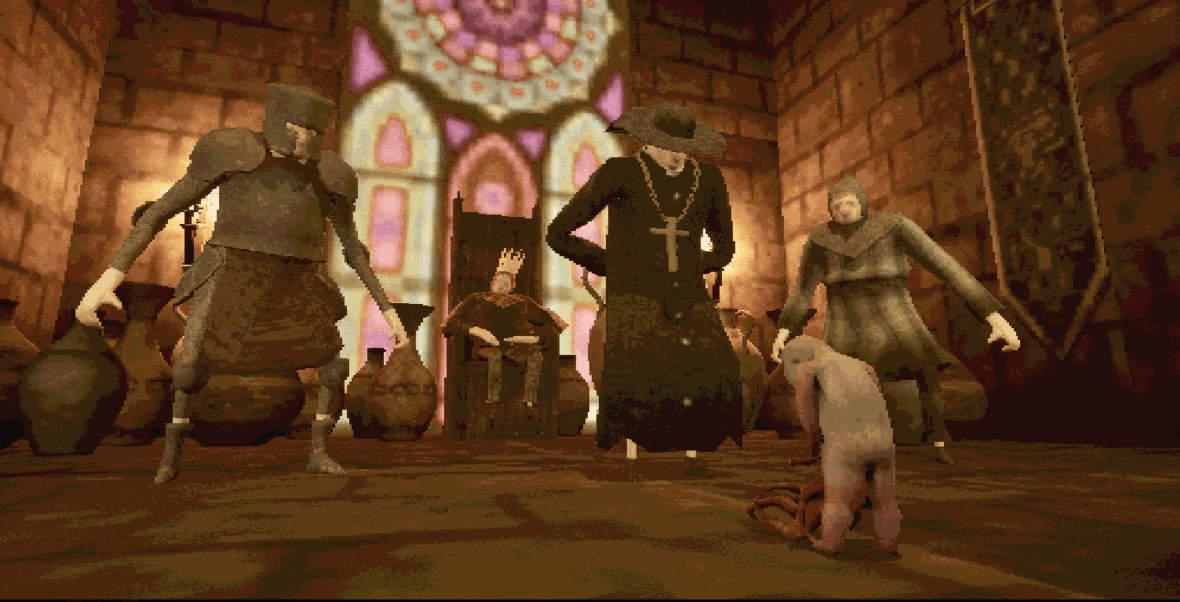
Ramiel: The Mimic Demon is a third-person stealth game built in 48 hours for the Global Game Jam 2026.
You play as a Botchling — a cursed creature whose mother and unborn self were killed by order of the castle king.
Ramiel grants you a second chance to return, reclaim your body, and embrace your demonic powers to infiltrate the
castle and reach the king who condemned you. The game offers two paths to vengeance: kill every soldier and confront
the king directly, or find the cursed relic, possess the corrupt priest, and manipulate your way to the throne.
The choice is yours.
Trailer
Contributions
I was responsible for the complete AI systems for all enemy types, the player's mimic and possession mechanics,
and the combat system. I also handled the team and faction setup, along with the overall game flow,
including win conditions and dual-ending logic.
Technical Breakdown
Enemy AI System
Two enemy types built in C++ on a shared base, with a full AI Perception setup,
team affiliation, and a proximity-scaled gradual detection meter.
AI Architecture — Two Enemy Types
The game has two distinct enemy types, each built in C++ on a shared base that handles
common infrastructure — spline-based patrol waypoints, team affiliation, and the
AI Perception configuration. Both enemies use Behavior Trees driven by Blackboard
flags, with their controllers handling all detection logic and Blackboard writes in C++.
THE PRIEST
A pure sight-based detection enemy. The moment the Priest spots the player he
broadcasts a noise event at his own location with a configurable radius —
alerting every Soldier within range simultaneously. He then faces the player
and plays his shout animation until the player leaves his line of sight.
The alert flag resets when the player is lost, so he can raise the alarm
again on the next sighting.
The Priest is also possessable — when the player carries the relic and interacts
with him, control transfers to the Priest character, unlocking the alternate ending.
THE SOLDIER
A dual-sense enemy that combines sight and hearing. On top of standard FOV
detection, Soldiers receive noise events — meaning the Priest's shout pulls
them directly to his location. In combat, the Soldier chooses between melee
and a ranged throw based on distance. The ranged attack uses the player's
current velocity to compute a lead vector, giving it mild predictive tracking
rather than firing straight at the player's feet.
Soldiers also respond to the player's Investigate state: when they lose
sight of the player they move to the last seen position before returning to patrol.
Perception System & Team Affiliation
Perception is configured entirely in C++ on the base controller. The sight sense covers
a 5000 unit radius with a 90° peripheral angle, configured to detect enemies and
neutrals but not friendlies — preventing soldiers from reacting to each other's presence.
Soldiers additionally have a hearing sense with a 2000 unit range and a short stimulus
age, used to receive the Priest's alarm noise event.
Team affiliation is handled through Unreal's Generic Team Agent interface, implemented
on both the AI base character and the player character. Each entity carries a team ID;
the attitude check returns Hostile, Friendly, or Neutral based on whether the IDs match.
Friendly stimuli are filtered out of perception callbacks, keeping the AI event handlers
clean and focused on real threats.
Gradual Detection Meter
Detection isn't instant — the Soldier builds up awareness over time while the
player is in its field of view. Every frame the player is visible, an accumulator
increases at a rate scaled by proximity: the closer the player, the faster the fill.
When the player leaves the FOV, the accumulator drains at a separate configurable speed.
Once the accumulator reaches its maximum, the Soldier fully detects the player and
alerts nearby allies.
The normalized value of this accumulator is broadcast every frame as an event
on the Soldier character — driving the detection indicator on the player's UI
in real time without any direct coupling between the AI and the UI.
UNDETECTED
Accumulator at 0 — patrolling normally
SUSPICIOUS
Filling — player in FOV
DETECTED
Full — attack + alert allies
Player Systems
The mimic transformation mechanic with its three stealth edge cases,
and the two-option combat system including the charged spring attack.
Mimic Ability & Stealth Visibility
When near a valid object, the player can transform into it. The AI detection system
queries the player's current state through a Blueprint interface implemented on the
player character. This interface exposes two questions: is the player currently
transformed, and is the player currently moving?
The Soldier's detection tick uses this information to decide whether to accumulate
awareness. If the player is transformed and stationary and was not
seen transforming, awareness accumulation is suppressed entirely — the Soldier looks
right past the player without reacting. Three edge cases are handled explicitly:
Transform while visible: If the Soldier already has the player in its FOV when the transformation happens, it sees the change and marks the player as spotted — no stealth benefit.
Moving while transformed: Moving objects attract attention. A transformed but moving player is still treated as visible.
Full detection carries over: Once the accumulator is full and the player is marked as seen, the transformed state provides no additional cover — the Soldier is already in full alert.
Player Combat — Melee & Spring Attack
The player has two attack options. The basic melee is a close-range strike that kills
enemies in one hit — as does being hit, making every engagement high-stakes.
The second option is a charged spring attack: the player holds the right mouse button
and pulls the mouse backward to charge; releasing launches the character toward the
nearest enemy in the aim direction, killing on impact. The farther the pull, the longer
the travel distance.
Both attacks play through animation montages with socket-based collision windows.
During the active hit frames, a collision trace fires from the weapon socket; on
contact the target receives damage and a gameplay event that triggers hit reactions
and, if lethal, triggers the death sequence through a Blueprint interface both
enemy controllers subscribe to — cleanly separating the kill signal from
the AI state cleanup logic.
Game Flow & Dual Endings
Two parallel win conditions tracked simultaneously, with possession transferring
full player control to the Priest character for the alternate ending.
Game Flow & Dual Endings
The game tracks two parallel win conditions simultaneously. The first: all enemies are
dead and the player reaches the king's chamber. The second: the player finds the relic,
possesses the Priest, and walks to the king as him.
Possession works by transferring the player controller from the Botchling to the Priest
character — the Priest's Blueprint handles the Possessed event, switches the active
view target with a blend, hides the original body, and re-maps all input to drive the
Priest's movement and camera. From the outside, the player is now literally walking
as the enemy. Reaching the king in this state triggers the manipulation ending, while
doing so with the original body and an empty castle triggers the slaughter ending.
Tatuchatoi is a first-person adventure and platformer set on a stylized, corrupted island. Developed in just one week
with a team of 11 members, the challenge was to create a cohesive first-person experience blending atmospheric exploration
with environmental hazards and platforming challenges. Guided by the enigmatic "Old Clairvoyant", players must wield the
mystical Fire Scepter to navigate a series of twisted trials, ignite the Flames of Rebirth, and attempt to outsmart Fate itself.
The core gameplay loop tasks the player with finding and lighting various braziers scattered across distinct zones, including a
graveyard, a dense hedge maze, and surreal floating neon platforms. Survival requires precise jumping mechanics and sharp reflexes
to dodge hazards like rotating laser grids.
Trailer
Contributions
I implemented the player movement mechanics, including dash and wall run, along with the reusable
Audio Actor Component and the zone-based soundtrack system. I also contributed to the majority of the puzzles.
Technical Breakdown
Player Mechanics
Dash and wall run — two movement abilities built in Blueprints with multi-condition
validation, velocity-based impulse, and clean state reset on exit.
Player Mechanics — Dash
The dash validates multiple conditions before committing — checking grounded state,
no active dash, and valid input. Once triggered, it reads the current movement direction,
applies a velocity impulse, and sets a Dash Timer that will cancel it.
Dash
Player Mechanics — Wall Run
Wall running uses a Sphere Trace cast laterally to detect
surfaces tagged Wallrun. On hit, gravity is zeroed and the wall run direction
is computed via cross product between wall normal and world up vector,
validated against the player's forward via a dot product — a
SelectInt node picks left or right based on the sign.
The wall jump computes a rotated launch vector from the wall normal, fires
AddImpulse, and immediately calls StopWallRunning
which restores gravity and resets the state.
Wall Run
Audio Architecture
A reusable Audio Actor Component with six purpose-built functions,
paired with a zone-driven OST crossfade system decoupled from level geometry.
Audio Component
Instead of scattering audio nodes across every Blueprint, I built a reusable
Audio Actor Component with six functions the rest of the project
could call without duplicating logic:
PlaySound
Plays only if AudioComponent isn't already playing to prevents overlap.
PlaySoundAtOnce
Stops the current sound and immediately plays the new one — for interrupting audio mid-play.
PlayRandomSound
Picks a random entry from a Sound array — used for varied SFX on repeated interactions.
PlaySoundOneTimeAtLocation
Same one-shot logic with Play Sound at Location for spatialized world-space SFX.
StopSound
Clean stop for looping sounds on state exit.
Soundtrack System — Zone-Based OST with Crossfade
The OST changes dynamically as the player moves through zones, split across
BP_SoundTrack and BP_SoundZone to keep the music
manager decoupled from level geometry.
BP_SoundZone is a Box Collision actor placed by designers. On overlap begin/end,
it calls ChangeSoundTrack on its BP_SoundTrack reference, passing the
assigned audio.
ChangeSoundTrack guards against redundant changes and mid-transition calls,
then sequences a FadeOut on the current track followed by a timer FadeIn on the new one.
FadeOut / FadeIn use UE's native audio fade nodes with configurable duration floats,
sequenced via Set Timer by Event with a dynamically created event callback.
Death integration: On BeginPlay, the SoundTrack binds to the player's
OnDie dispatcher. On death it triggers ChangeSoundTrackCustomFadeOut with
a fade — bypassing zone logic for immediate audio feedback.
The Bubble is a horror exploration game built during a one-week game jam with a full team of 10.
The player navigates an oppressive environment while being hunted by an AI entity that reacts not
just to proximity, but to the world around it — teleporting through the level and tracking down
collectibles as a way to corner the player. Rather than a simple chase enemy, the AI was designed
to feel unpredictable and aware, reacting to events in the world rather than just following the
player's position. The teleport mechanic in particular was meant to create sudden, disorienting
encounters that break the player's sense of safety. My responsibilities covered the enemy AI
system and part of the gameplay logic, including the collectible and teleport systems that feed
directly into the enemy's decision-making.
Trailer
Contributions
I built the enemy AI system, featuring a three-state patrol/chase/attack loop, a stuck-state recovery system,
and event-driven reactions such as collectible redirection and teleport relocation.
Technical Breakdown
The Bubble was my first experience building an AI system under a real jam deadline, within a large team.
The scope was intentionally limited, but the constraints pushed me to think about event-driven design
and how enemy behavior can extend beyond simple player-tracking.
Enemy AI System
A lightweight three-state FSM — Patrol, Chase, Attack — driven by sphere overlap checks
and a stuck-timer fallback that prevents the enemy from freezing mid-path.
Enemy AI — State-Based Behavior
The enemy operates on a simple but effective three-state logic evaluated every frame:
Patrol, Chase, and Attack.
State transitions are driven by two sphere overlap checks — a wider perception range and a tighter attack range —
keeping the system lightweight and easy to tune without a formal FSM framework.
Patrol: The enemy picks a random point on the NavMesh within a configurable radius and walks toward it, then picks a new one on arrival.
Chase: When the player enters the perception range, the agent calculates a full NavMesh path before committing to the chase — falling back to patrol if the player is unreachable. A stuck timer prevents the enemy from freezing indefinitely if the path becomes invalid mid-chase.
Attack: At close range, the enemy locks its destination, faces the player, and fires attacks at a fixed interval.
Event-Driven World Reactions
The AI reacts to world events through static C# delegate events — collectible pickups
redirect its walk target, and teleport triggers bypass level geometry entirely.
Event-Driven World Reactions
The most interesting part of the AI isn't the chase — it's how it reacts to world events
through a decoupled event system. Two delegate events drive this behavior:
Collectables.OnCollected: When the player picks up a collectible,
the enemy immediately redirects its walk point to that position — as if it heard the interaction.
This creates a tension loop where collecting items draws the enemy closer.
Teleport.OnTeleport: When a teleport trigger activates,
the enemy's navigation agent is disabled, the enemy is moved to the teleport destination,
and the agent is re-enabled. This lets the enemy bypass level geometry and appear
in unexpected locations, breaking the player's spatial expectations.
Both events are subscribed and unsubscribed cleanly in the standard enable/disable lifecycle callbacks,
avoiding stale listeners across scene reloads.
Collectibles & Manager
Each collectible runs a distance check against the player every frame, managed by a central collectible tracker,
which iterates the list in reverse to safely remove entries mid-loop.
On collection, the pickup event fires before the object is destroyed —
ensuring the AI receives the world position before the reference is gone.
It's a small detail, but it matters for event ordering correctness.
The project is built around a set of modular gameplay systems designed to be scalable,
maintainable, and easy to extend over time. Rather than focusing only on features,
I used this project to explore production-oriented architecture in Unreal Engine,
with particular attention to gameplay abilities, AI behavior, wave management,
and clean separation between systems.
Contributions
I designed and implemented the core architecture: a custom GAS setup with attribute set hierarchies and
damage execution logic; data-driven character configuration; and a tag-driven input component.
I also developed the TPS shooting system, an AI controller with Detour Crowd integration,
the wave pipeline (Subsystems-based), and the UI component architecture.
Technical Breakdown
Gameplay Ability System
Custom ASC with tag-based input routing, attribute set hierarchy,
PostGameplayEffectExecute damage flow, and a custom ExecCalc for stat-scaled damage.
Gameplay Ability System (GAS)
Combat and character progression are built around Unreal Engine’s Gameplay Ability System.
Instead of using it only as a plug-and-play framework, I used it as the foundation for a more
structured and scalable combat architecture.
Abilities, attributes, and combat interactions are organized in a data-driven way, allowing
different characters and enemies to share the same core logic while still supporting unique
behaviors and playstyles. This made it easier to expand the project without tightly coupling
combat rules to individual actors.
A major focus was building a clean flow for damage handling, stat scaling, and state transitions
such as death, while keeping gameplay events reusable across different systems like UI, AI reactions,
and visual feedback.
Input & Character Data
Fully data-driven character configuration through PlayerData, EnemyData, and selection
assets, paired with a tag-driven input component supporting one-shot and hold abilities.
Data-Driven Character Configuration
Character setup is fully data-driven, with classes, abilities, and combat parameters configured
through reusable assets rather than hardcoded values. This approach keeps the gameplay layer flexible
and makes it much easier to create or rebalance characters without rewriting logic.
The same structure is shared across both players and enemies, which helps maintain consistency
between different gameplay entities while reducing duplication and improving iteration speed.
Tag-Driven Input System
Input handling is designed to be modular and ability-friendly, allowing gameplay actions to be
mapped through tags instead of relying on rigid direct bindings. This makes the input layer much
easier to scale when introducing multiple classes, unique abilities, or alternate control behaviors.
By separating player actions from concrete implementation details, the system stays flexible and
supports a cleaner connection between input, abilities, and gameplay feedback.
Shooting & AI System
Dual-trace TPS shooting with angle validation and minimum distance guard,
plus a Behavior Tree–driven AI controller with Detour Crowd avoidance.
Shooting System
The shooting system was designed to ensure that aiming feels accurate from the player’s perspective
while remaining reliable in third-person combat situations. To achieve this, the aiming logic takes
both camera direction and weapon position into account, reducing common issues such as shots clipping
into nearby geometry or feeling visually inconsistent.
This approach improves readability and responsiveness in combat, especially in close-range situations
where player expectation and actual projectile behavior can easily fall out of sync.
AI Controller & Crowd Avoidance
Enemy behavior is built around Behavior Trees, with the controller layer responsible
for initialization, shared logic, and coordination between movement and decision-making.
A key focus was making enemies feel readable while still behaving well in group combat. To support this,
I integrated crowd-aware navigation so multiple enemies can move and reposition around the player without
constantly colliding or stacking unnaturally.
This helped create cleaner combat spaces and more believable enemy pressure, especially during larger
wave encounters.
Wave Pipeline & Infrastructure
A modular wave pipeline across three World Subsystems, an IPoolable-based object pool
for enemies and projectiles, and a delegate-driven UI architecture decoupled from gameplay.
Wave & Round System
The wave system is built as a modular gameplay flow that separates round progression,
enemy spawning, and spawn-point selection into distinct responsibilities.
This structure makes it easier to scale encounter complexity over time, since new wave rules,
enemy compositions, or pacing adjustments can be introduced without rewriting the entire combat loop.
The result is a cleaner encounter pipeline that supports replayable combat and gives the project
a stronger roguelite-style progression structure.
Object Pooling
To improve runtime performance during combat-heavy encounters, the project uses object pooling
for frequently reused gameplay actors such as enemies and projectiles.
Instead of constantly spawning and destroying actors during each wave, gameplay objects are recycled
and reset between uses. This reduces overhead and helps keep combat more stable during intense moments
with multiple enemies and repeated attacks on screen.
This was especially important for maintaining smoother pacing in a wave-based structure where the same
gameplay entities are repeatedly reused.
UI Architecture
The UI layer is designed to stay loosely coupled from gameplay logic, so combat systems can communicate
important state changes without creating direct dependencies between characters and widgets.
Health updates, damage feedback, and ability state changes are exposed through a reusable communication layer,
allowing the interface to react cleanly to gameplay events while keeping the core systems independent.
This approach made the UI easier to maintain and better aligned with the overall goal of building
scalable, production-style systems.
About Me
I'm a 21-year-old aspiring video game programmer with a strong passion for computers and video games.
I have a technical background in IT and am currently studying at Digital Bros Game Academy, where I specialize in game programming.
I have experience in various programming areas, including web development, applications, video game development, and electronics boards.
My main interests have focused on AI, game systems and the development of production-support tools, such as tools for designers.